Automating Mantrae Traefik management with mantrae-agent

So, about a year ago I wrote about deploying Mantrae to help manage my traefik ingress for my homelab. It's been steadily working, making it a breeze. I've since furnished it with OIDC authentication, and went through upgrading several new versions.
For some time now I've been running mantrae-agent instances on my Docker hosts, and this essentially allows mantrae to auto-configure based on Docker labels, as if traefik was deployed on the same Docker instance.
Traefik does it out of the box with Docker configuration backend, but in my case traefik sits inside a dedicated LXC and has no capability to talk to Docker hosts at all.
Enter mantrae-agent. You deploy it onto your docker host, tell it where the mantrae instance is, give it an API token and it will now monitor traefik labels on containers and automatically provision routers and services on traefik side.
services:
  mantrae-agent:
    image: ghcr.io/mizuchilabs/mantrae-agent:latest
    container_name: mantrae-agent
    network_mode: host
    volumes:
      - /var/run/docker.sock:/var/run/docker.sock:ro
    environment:
      - TOKEN=${TOKEN}
      - HOST=http://192.168.1.1:3000
    restart: unless-stopped
I think it needs the network_mode: host to automatically detect the external IP address.
You obtain the token from the mantrae UI. They even give you the compose configuration in a copy/paste-able format.
Next, take any container that you wish to expose and add appropriate Docker labels to it.
    labels:
      - "traefik.enable=true"
      - "traefik.http.routers.photos.rule=Host(`${EXTERNAL_URL}`)"
      - "traefik.http.routers.photos.entrypoints=web,websecure"
      - "traefik.http.routers.photos.middlewares=Redirect to HTTPS"
      - "traefik.http.routers.photos.tls.certresolver=letsencrypt"
      - "traefik.http.routers.photos.service=photos"
      - "traefik.http.services.photos.loadBalancer.passHostHeader=true"
      - "traefik.http.services.photos.loadBalancer.server.port=${PORT}"
I also put the port configuration in case it has to change
    ports:
      - ${PORT}:2283
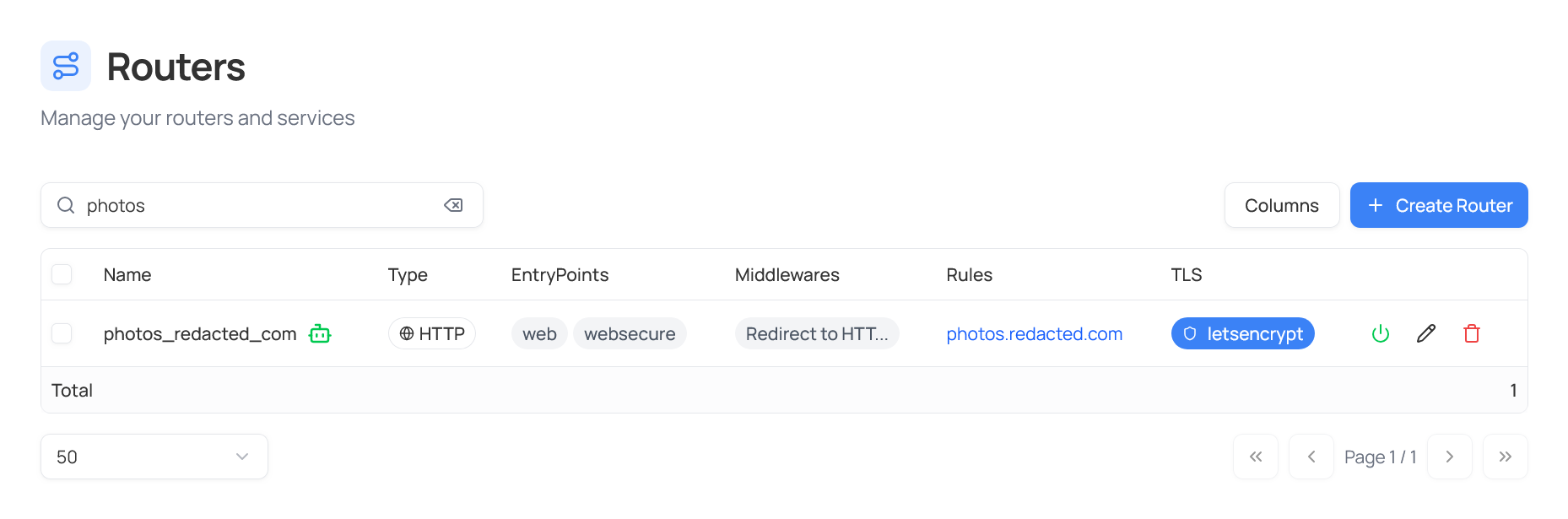
And as soon as the container is deployed it immediately pops up in the mantrae dashboard:
Conclusion
I have a handful pieces of software running on two separate Docker hosts, and an assortment of LXC containers and VMs. Docker ones are now provisioned fully automatically. It would be nice to have some kind of Proxmox integration to do the same. Maybe I can play around with it's API and hook something up.
Oh, unfortunately right now you can't use the .loadBalancer.server.url= label, as Mantrae overrides it with the box IP. There's an issue for it, so it may get resolved at some point.